
Run Your Retail Business with Superpowers — Sales, Stock, M-Pesa & Supplier Orders in One Place.
One simple system to ring up sales, track stock across branches, collect M-Pesa payments, record daily expenses & debts, order from local or overseas suppliers, and sell online.
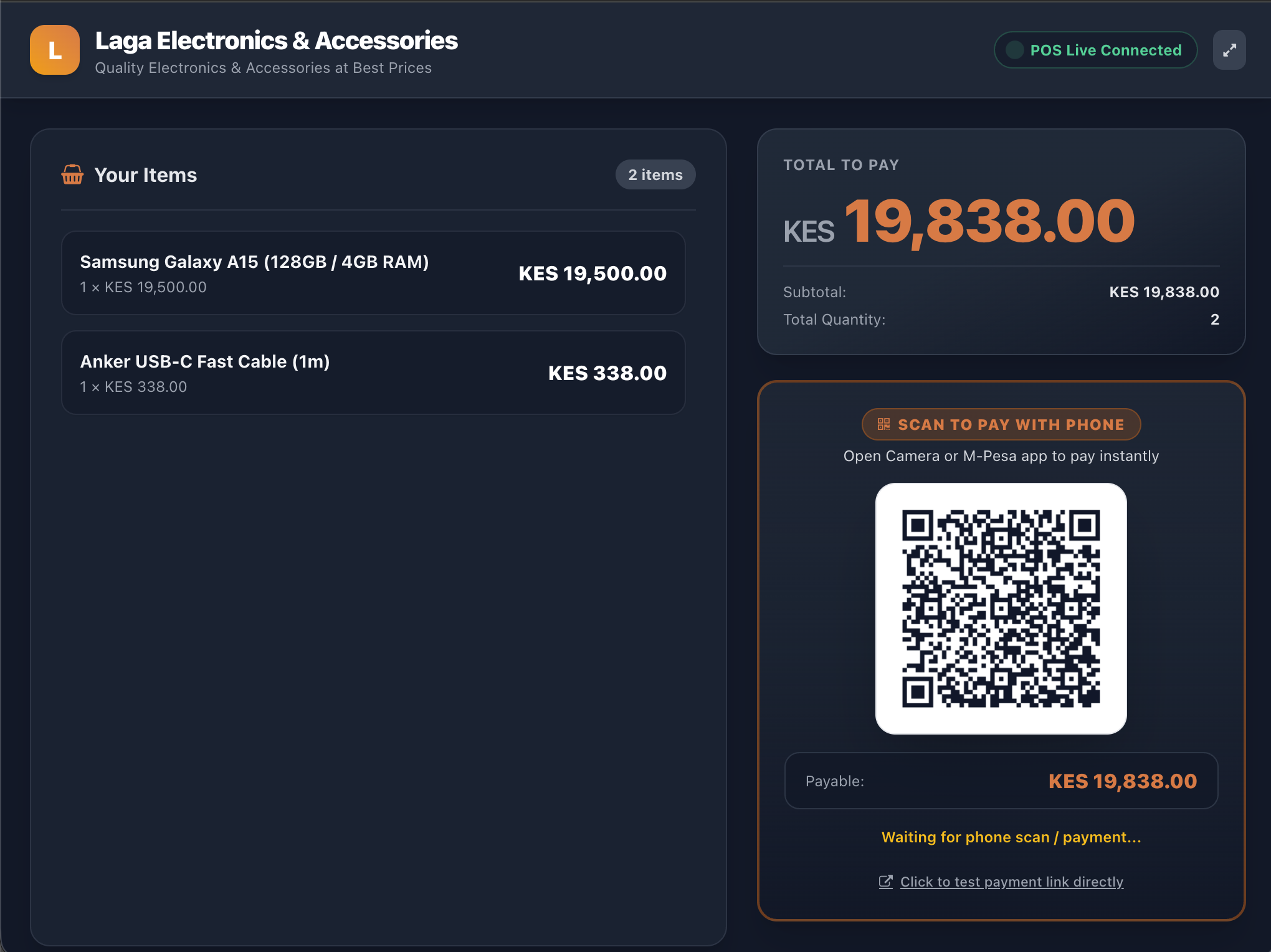
Ring up sales with barcode scanners or keyboard shortcuts while customers watch their items and scan a QR code to pay on a second screen.
Create Purchase Orders, Compare Suppliers & Calculate True Import Cost
See what is running low, compare local vs China/Dubai supplier prices, send quote links to suppliers on WhatsApp, and calculate exact shipping & duty cost per item.
15 Everyday Tools Built for Kenyan Businesses
Pick a category below or click your business type — every sale, stock count, daily expense, repeat invoice, staff action, and supplier order updates your books automatically.
1. Fast Counter POS & Customer Screen
Sell fast using barcode scanners or keyboard shortcuts (F1–F11). Connect a second tablet or screen facing the customer so they see each item and scan a QR code to pay.
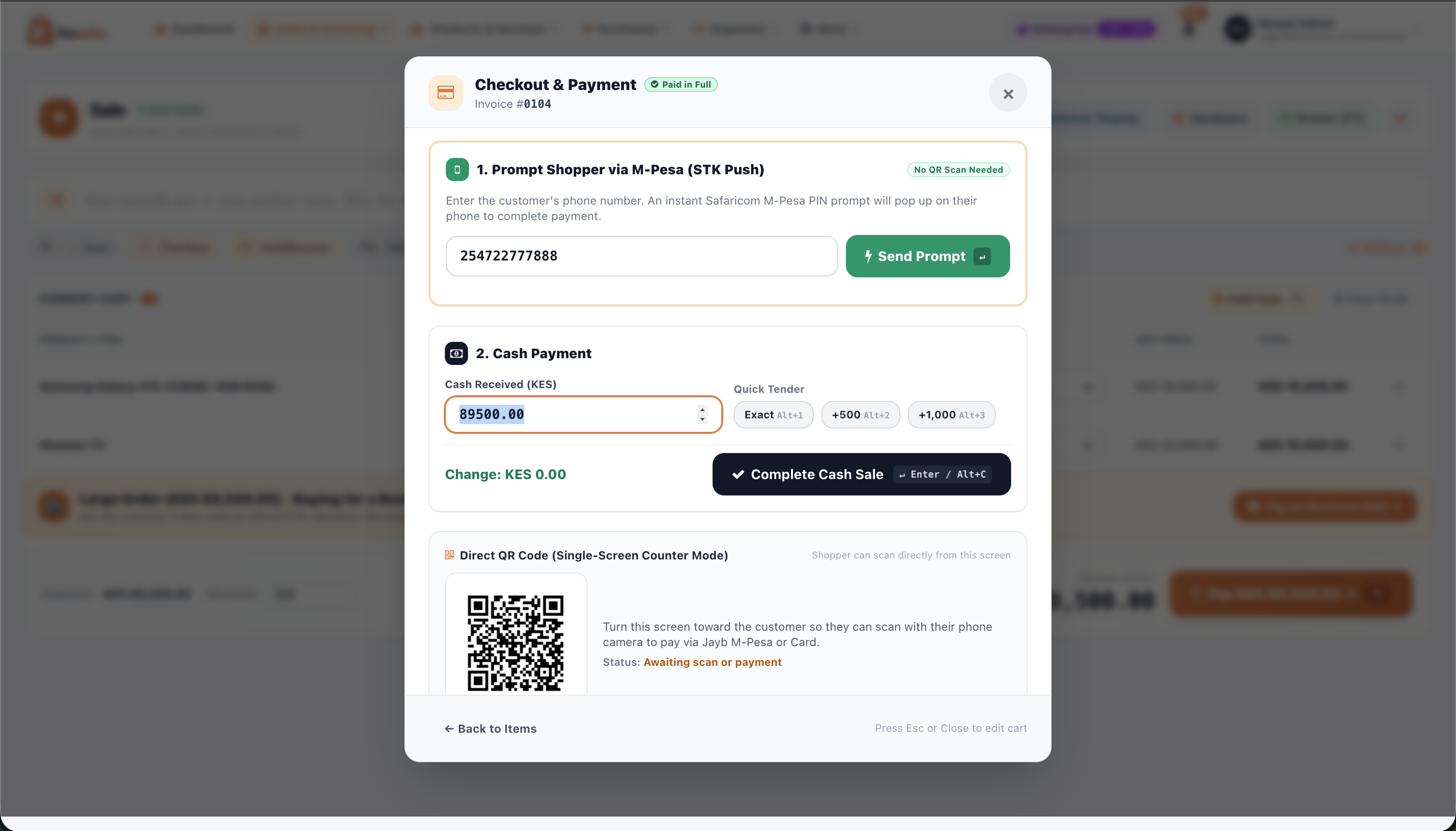
2. Instant M-Pesa Prompt, Cash & Bank
Send an M-Pesa PIN prompt straight to your customer's phone, calculate cash change with 1-click buttons, or record bank transfers — stopping fake M-Pesa SMS screenshots for good.
3. Price Quotes, Online Store & Marketplace
Send price quotes on WhatsApp that turn into a sale in 1 click, get your own 24/7 online shop link, and show your in-stock products to nearby buyers on the Kasoko Marketplace.
4. Repeat Invoices & Monthly Contracts
Bill regular clients automatically every week, month, quarter, or year. On the due date, Kasoko creates the invoice, texts the payment link, and sends an M-Pesa payment prompt automatically.
5. Multi-Shop Stock, Serials & Expiry Dates
Track stock across all your shops and godowns, record phone or laptop serial/IMEI numbers on receipts to prevent fake warranty claims, and sell expiring batches first.
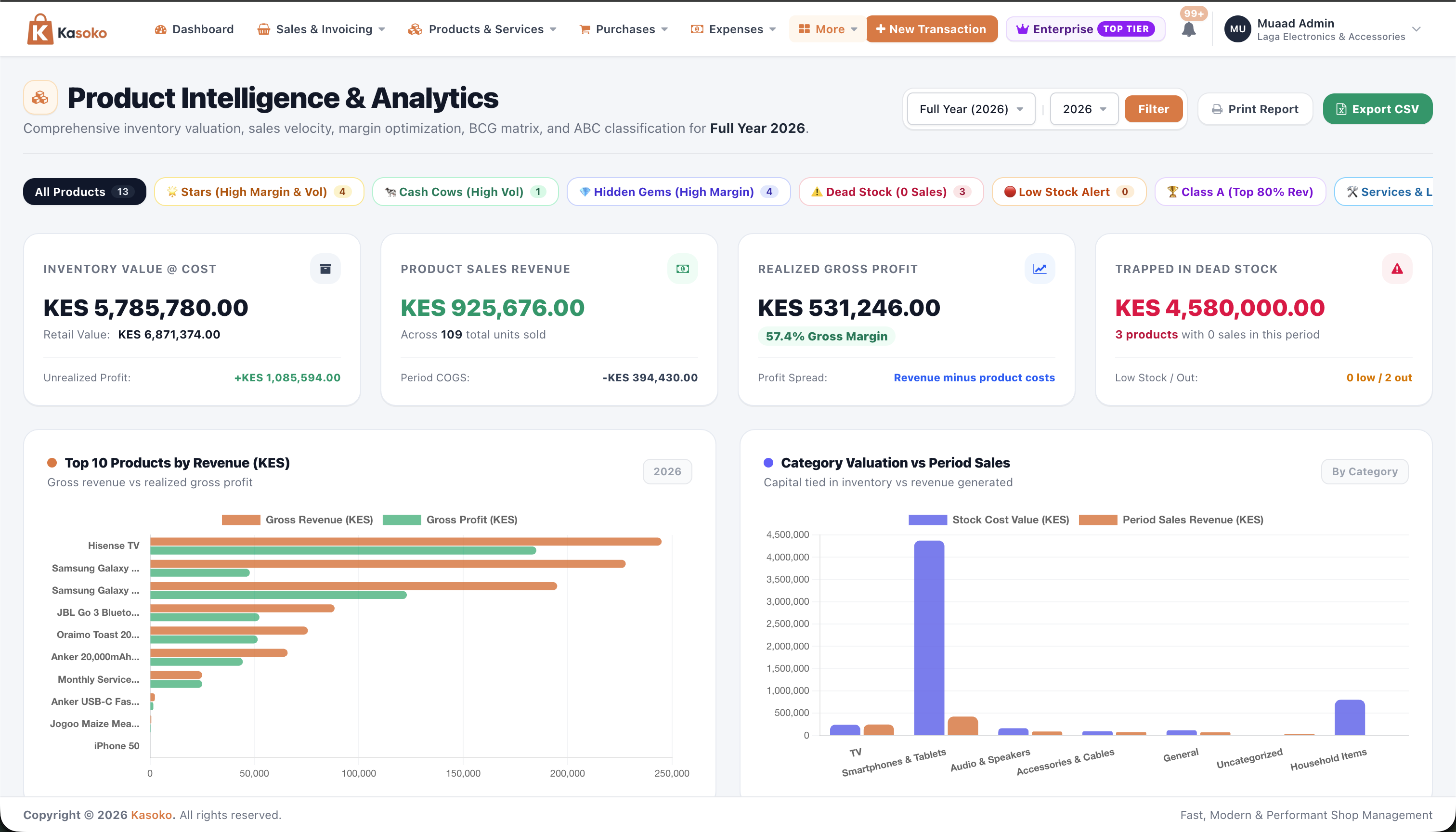
6. Low-Stock Alerts & Best-Seller Tracking
Get warned before popular items run out, see which products bring the most profit vs slow-moving dead stock, and add all low items to a supplier order in 1 click.
7. Waiter PIN Pad, Kitchen Screens & Recipes
Waiters enter a 4-digit PIN on a shared tablet to open table bills, send food & drink orders straight to Kitchen & Bar screens, and automatically deduct cooking ingredients.
8. Tailoring Measurements & Job Cards
Save 20+ body measurements for every customer, attach style photos, track each outfit from Cutting to Stitching, Fitting & Ready, and record customer deposits.
9. Compare Suppliers & Online Quote Links
Compare prices and delivery days from local Kenyan vs China or Dubai suppliers, create official Purchase Orders, and send a WhatsApp link for suppliers to fill in their prices.
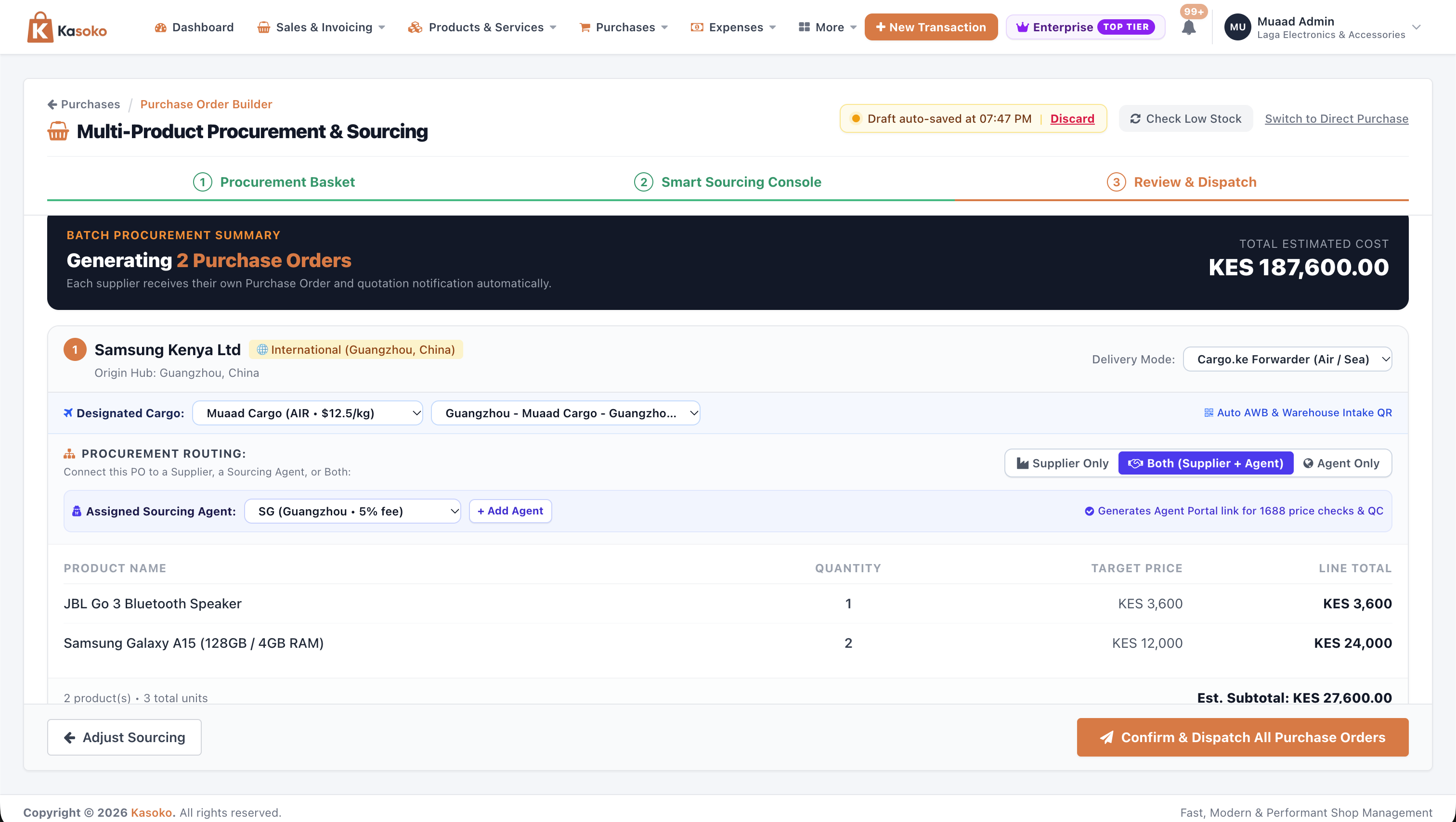
10. Shared Shipping & Import Cost Calculator
Share container space with other importers to cut shipping costs, print QR box labels for your shipping company, and calculate exact cost per item after shipping and customs duty.
11. Daily Expenses & Cash, M-Pesa & Bank Balances
Record daily shop expenses (rent, electricity, salaries, boda delivery), attach shipping costs to a Purchase Order, and track how much money is in your Cash Drawer, M-Pesa Till, and Bank.
12. Customer Debt Book (Daftari) & Approvals
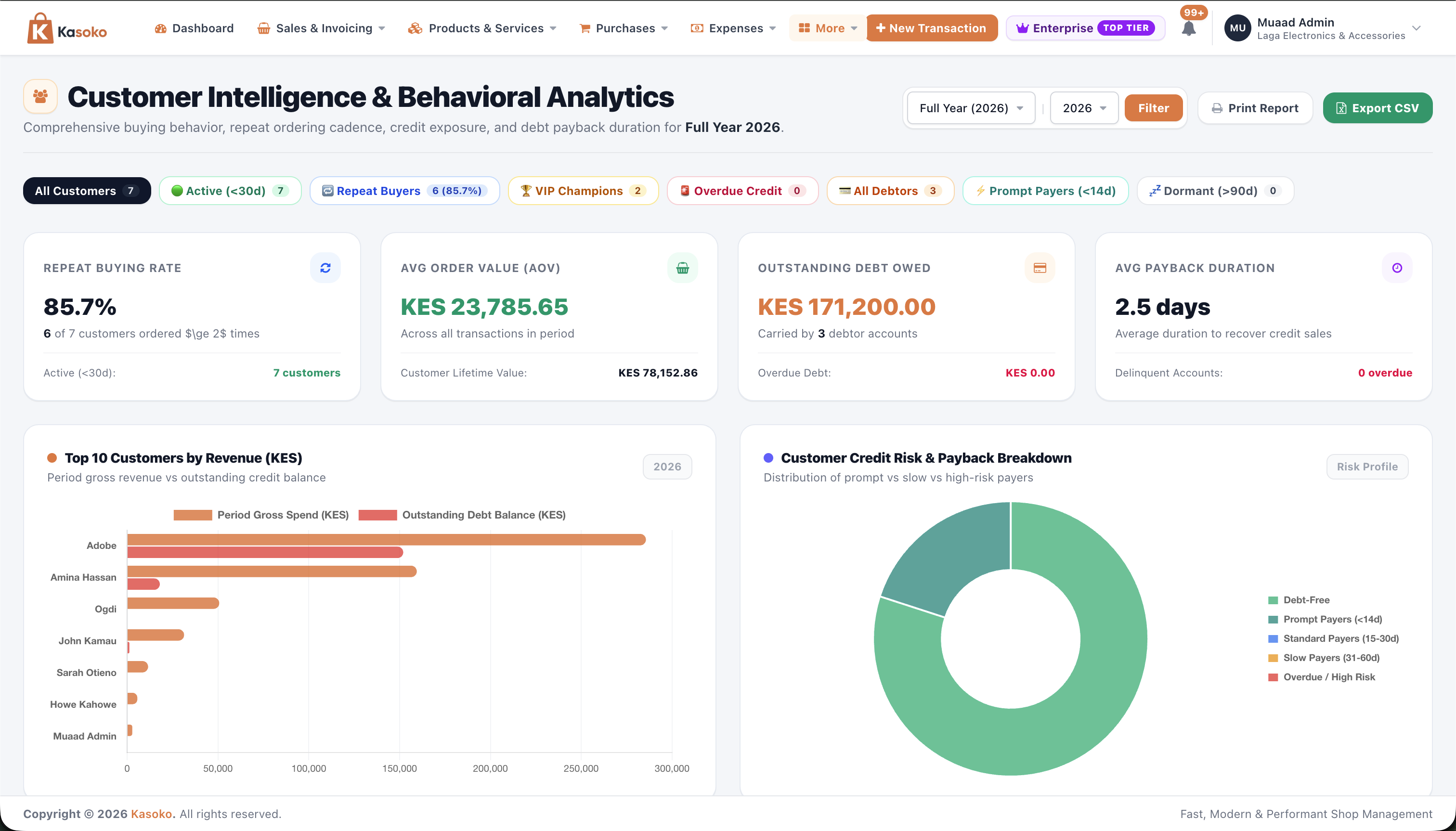
Track customers who buy on credit and suppliers you owe, see how fast each buyer pays back, and require Owner Approval before debt payments logged by cashiers are marked paid.
13. Free Monthly SMS, WhatsApp & Payment Links
Get up to 1,000 free SMS messages every month plus 1-click WhatsApp messages to send receipts, debt reminders, and simple links where customers tap to pay via M-Pesa.
14. Staff Accounts, 6 Roles & Permissions
Add up to 15 staff members, see when they log in, pick a ready-made role (Admin, Manager, Cashier, Sales Rep, Waiter, Kitchen), or choose exactly what each person can view, add, edit, or delete.
15. Full Activity Log & 1-Click Undo
See every change made in your shop — who changed a price, edited stock, or deleted an expense — with exact before-and-after numbers and a 1-Click Undo button to reverse mistakes.
How Counter Checkout, Customer Screen & M-Pesa Work Together
/sale_transactions/new
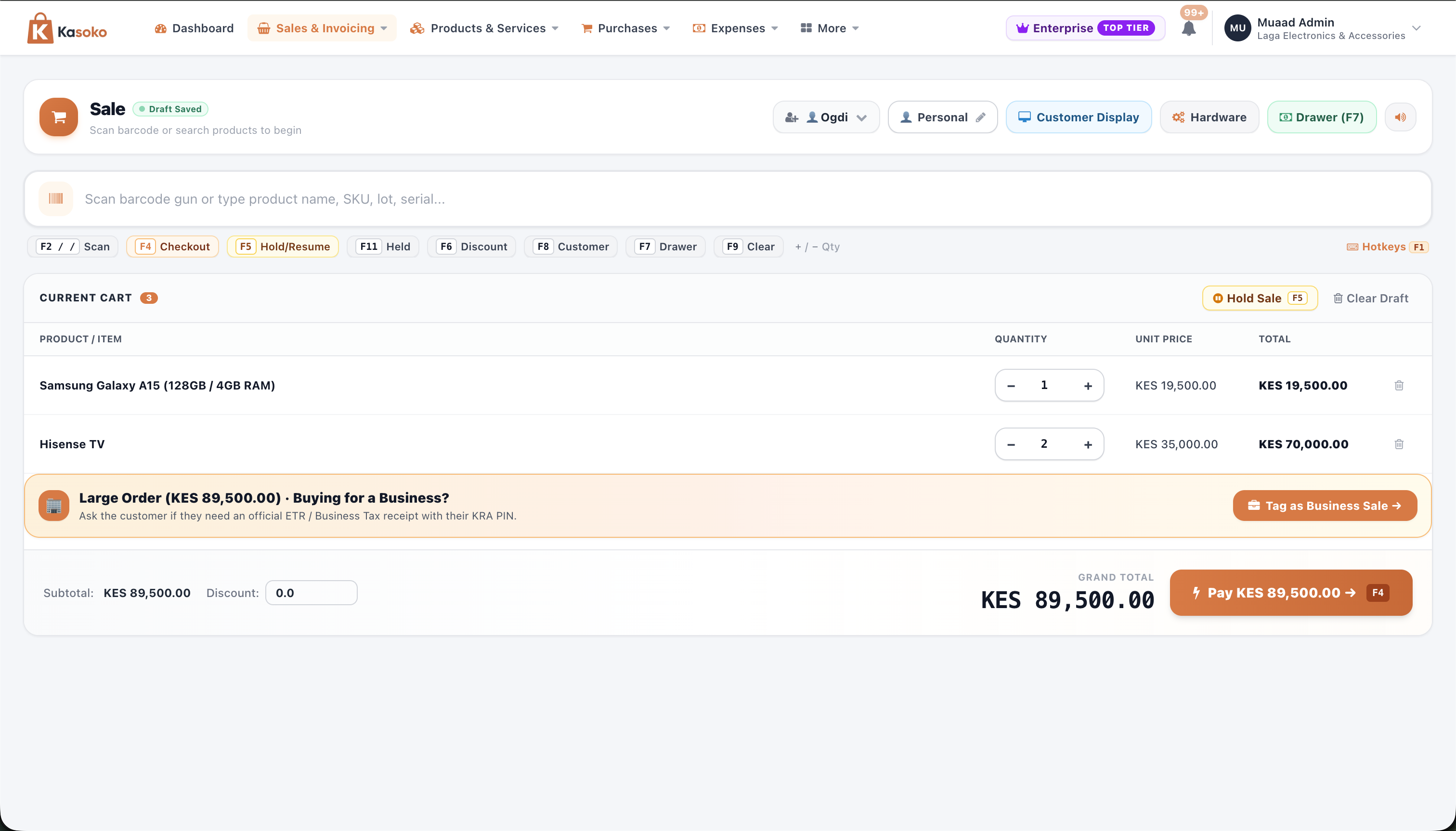
Ring Up Sales Fast with Barcode Scanner or Keyboard Shortcuts
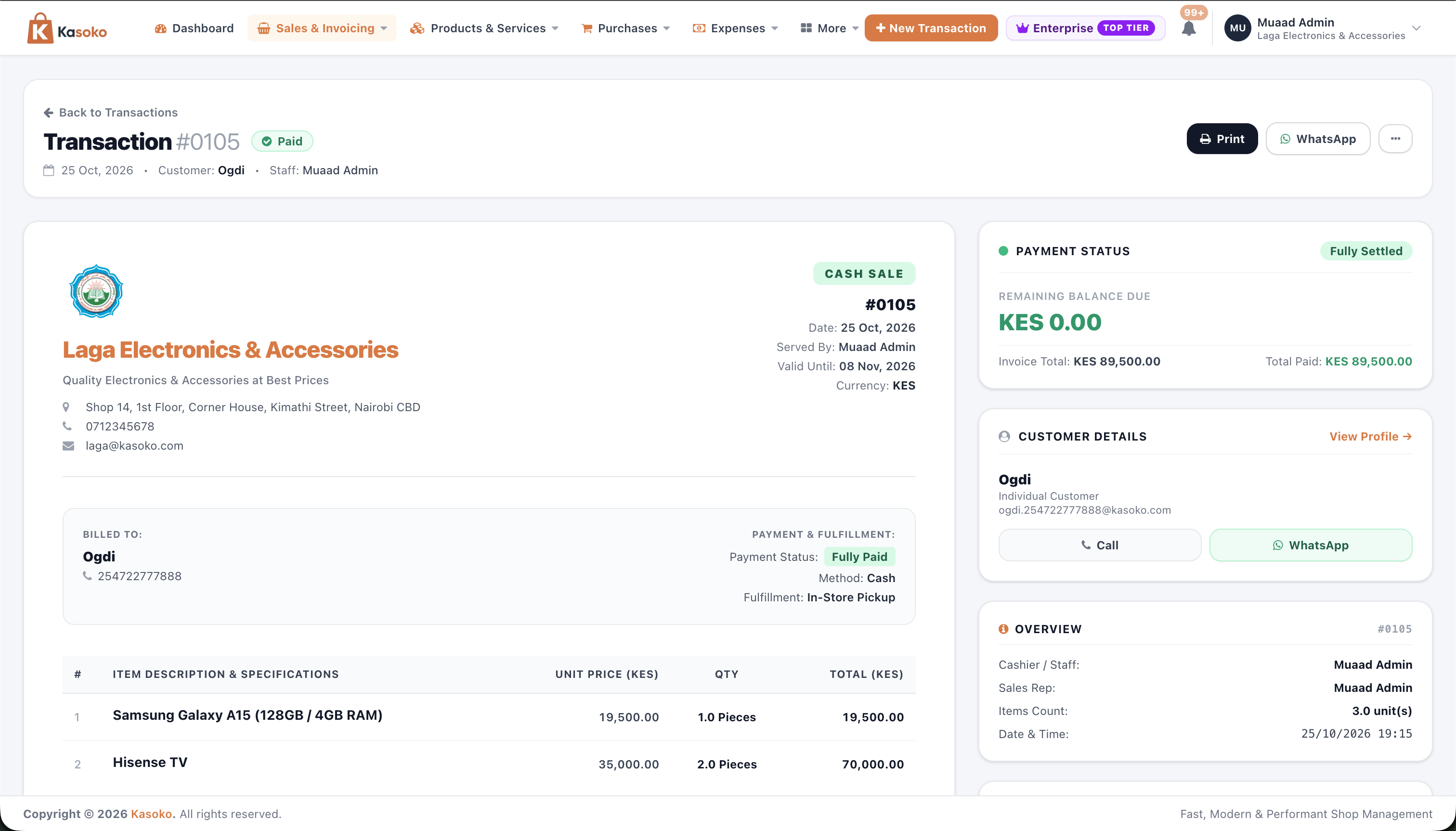
Sell to walk-in or wholesale buyers in seconds. Scan barcodes or serial numbers, tap product cards, or use keyboard keys (F1–F11) — and never lose your cart even if power or Wi-Fi drops.
- Use F1 to search, F2 to clear, F4 for discount, F8 for customer, and F9 to pay without touching the mouse.
- Change quantities, adjust wholesale prices, or switch to a formal Tax / ETR Invoice in 1 click.
- Automatically saves your cart on screen so a cashier never has to start over.
How to Restock Your Shop & Order from Local or Overseas Suppliers
/purchase_transactions/new
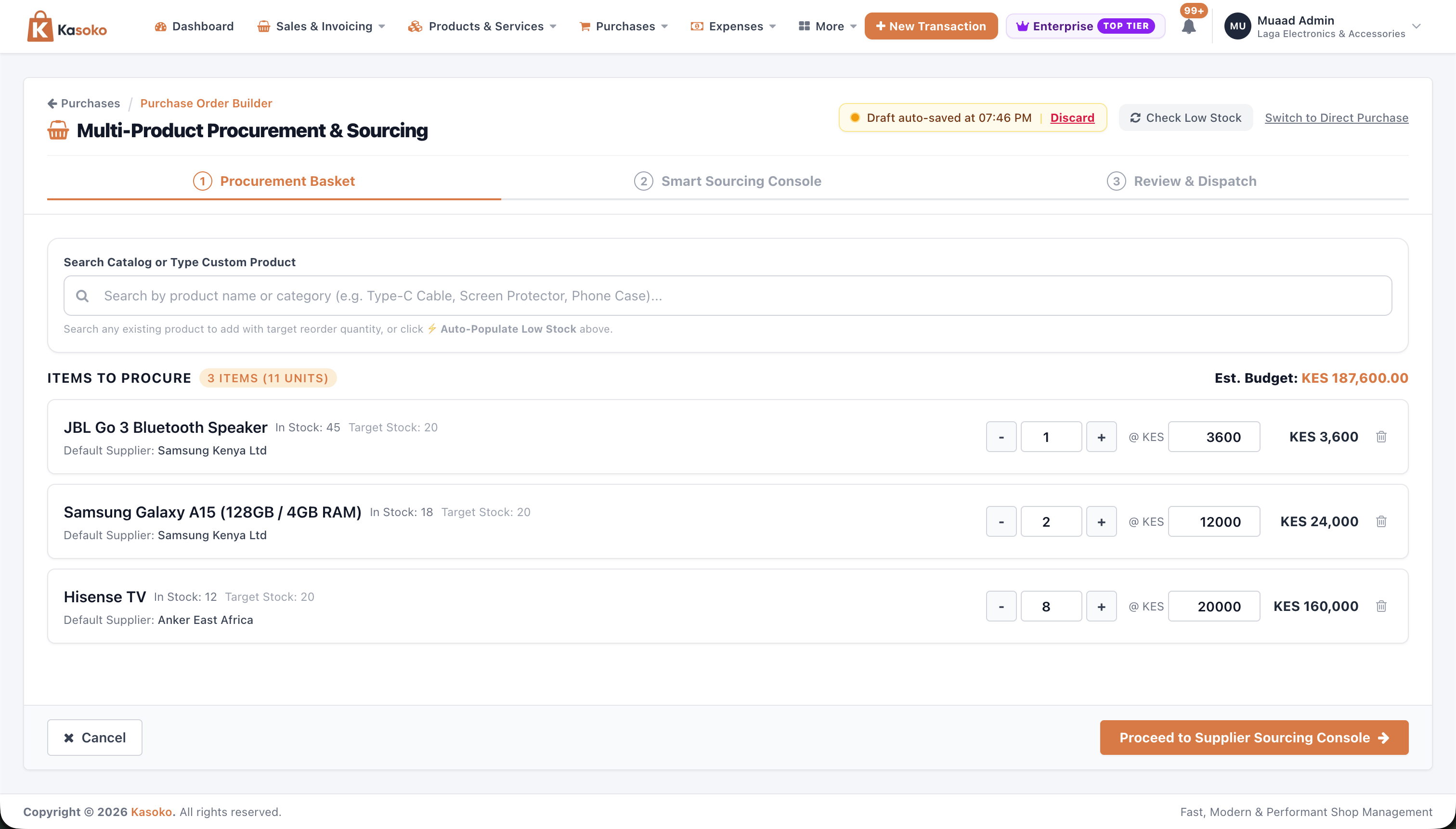
1-Click 'Check Low Stock' Builds Your Restock List Automatically
Stop guessing what to buy. Click 'Check Low Stock' and Kasoko checks your shelves, finds every item running low, and prepares your order list with an estimated cost.
- 1-click 'Check Low Stock' adds every item that has fallen below your target shelf quantity.
- Shows how many you have left vs your target quantity alongside your usual buying price.
- Shows your total estimated order budget at the top before you commit to buying.
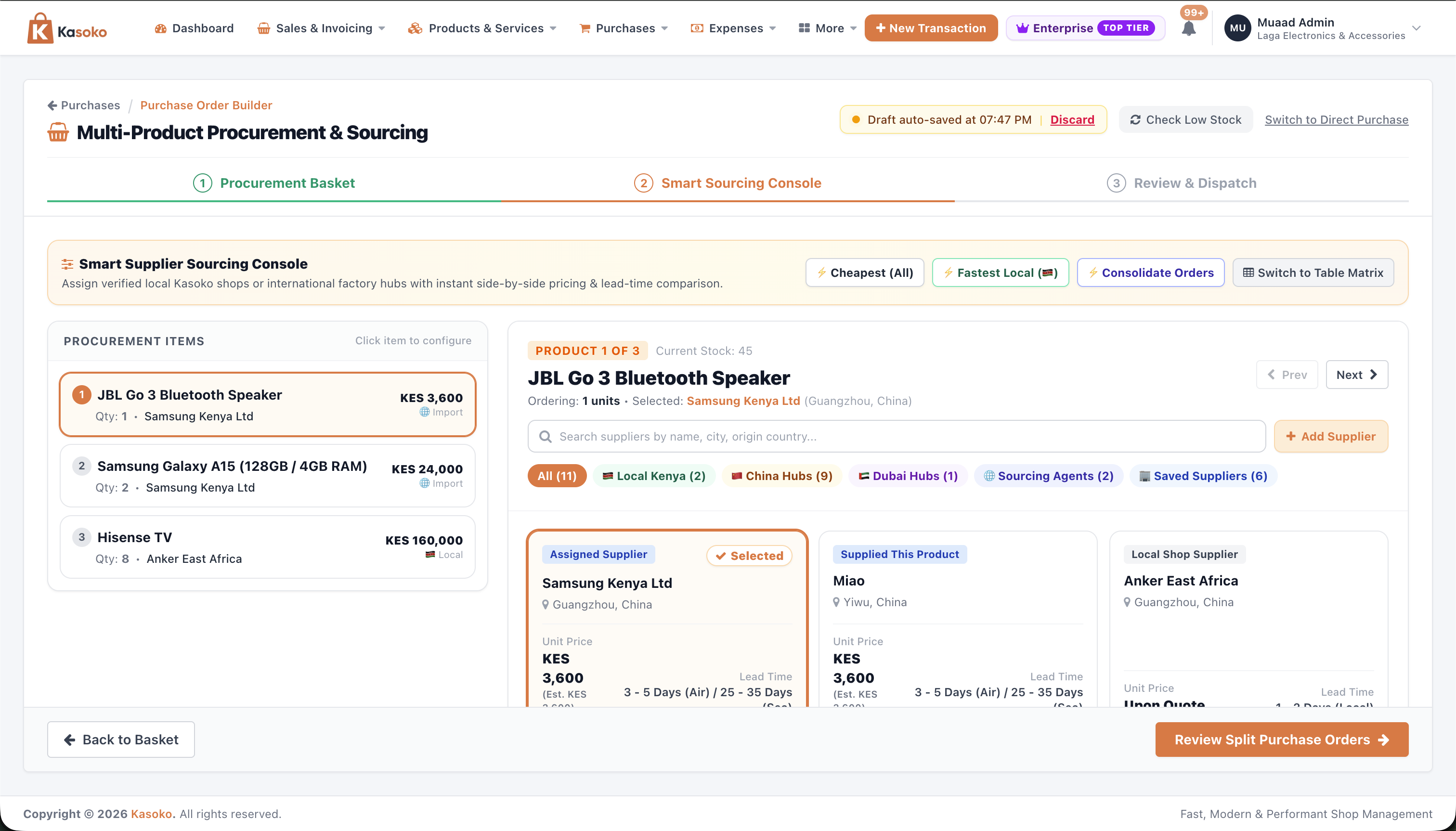
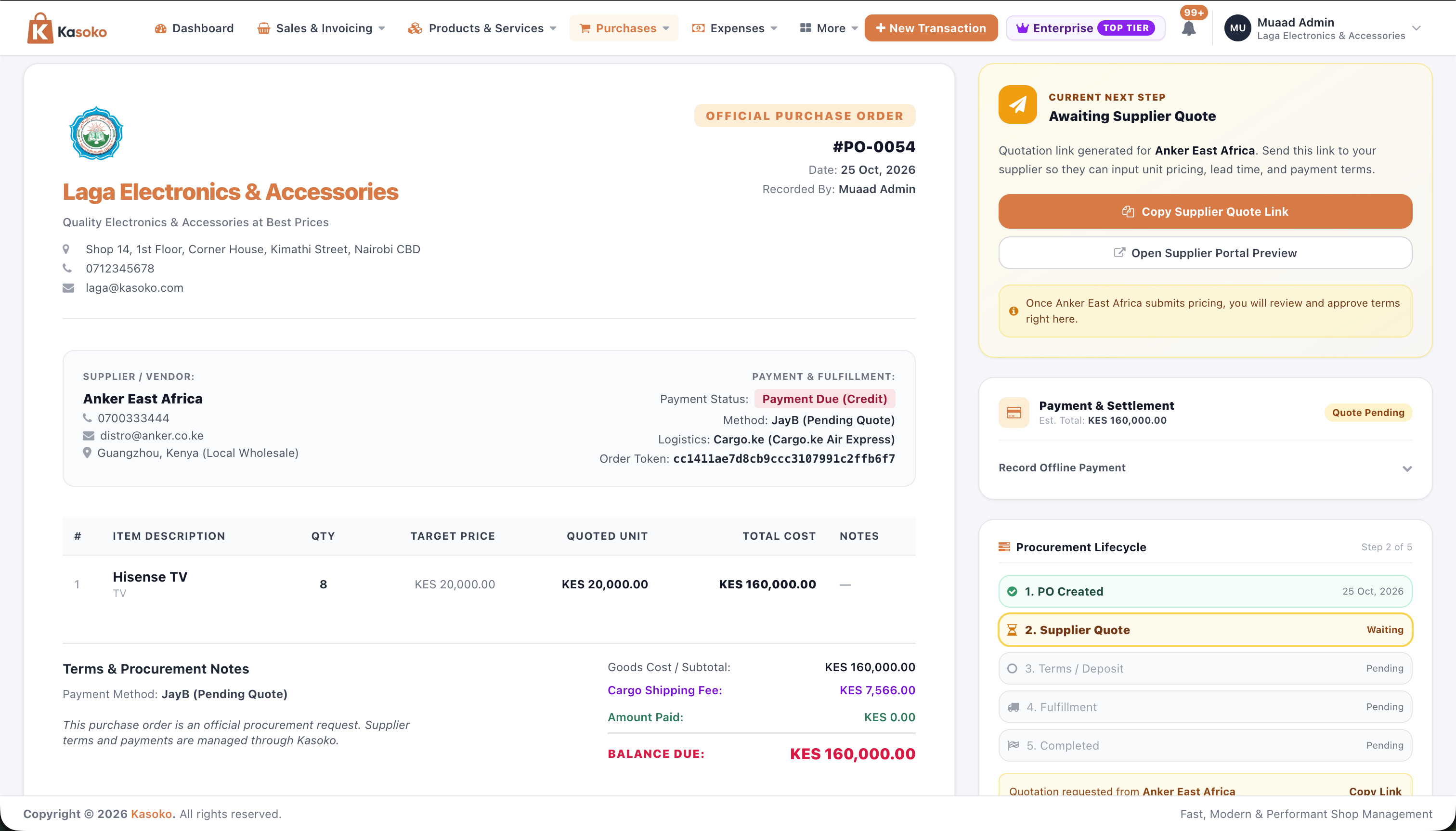
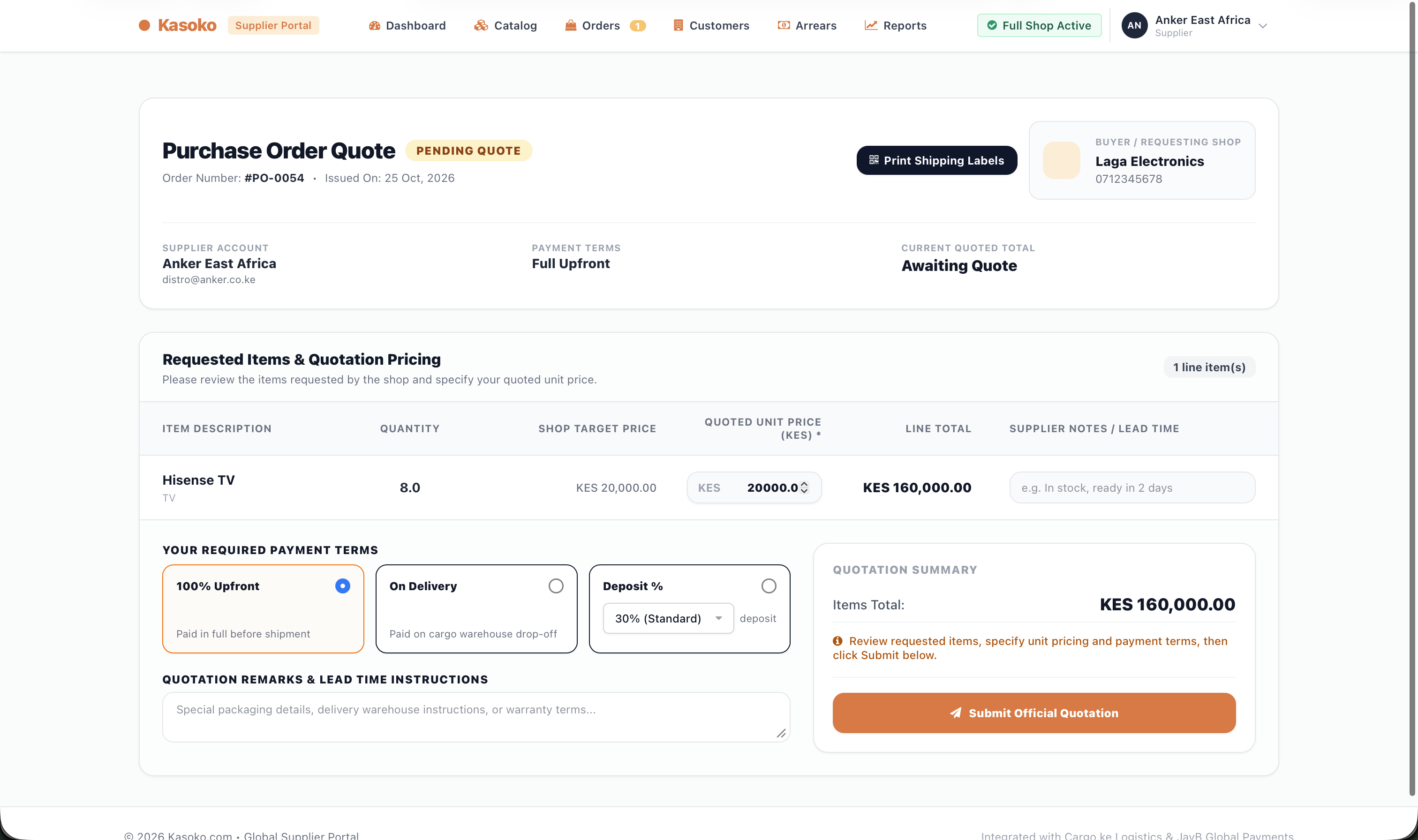
Free Purchase Order Generator
Create supplier orders & quote links for free.
True Import Cost Calculator
Calculate shipping, customs duty & cost per item.
Shared Cargo Shipping
Combine cargo space with other importers via Cargo.ke.
Know Every Shilling Earned, Spent, Owed, and Sitting on Your Shelves
/dashboard
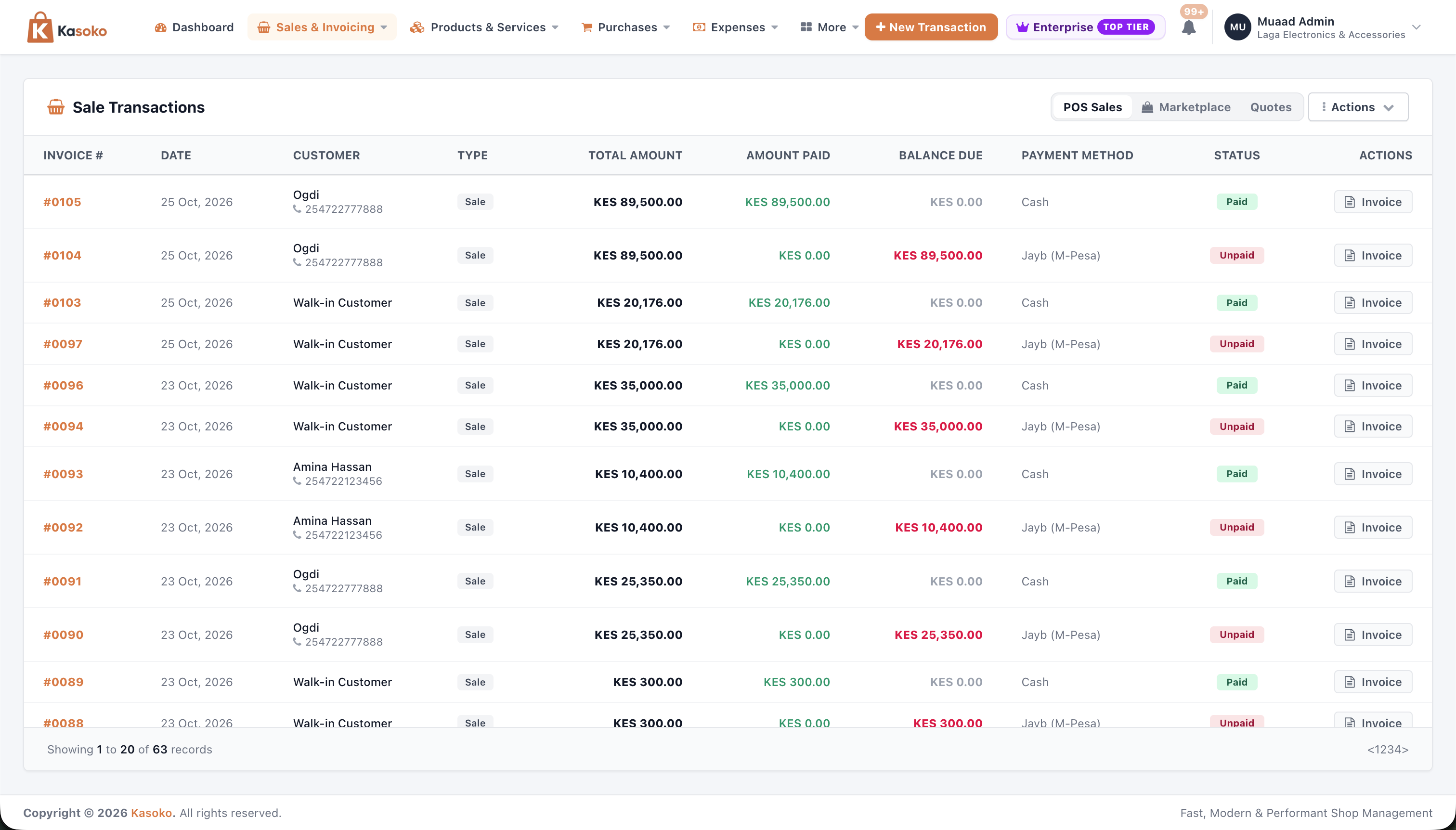
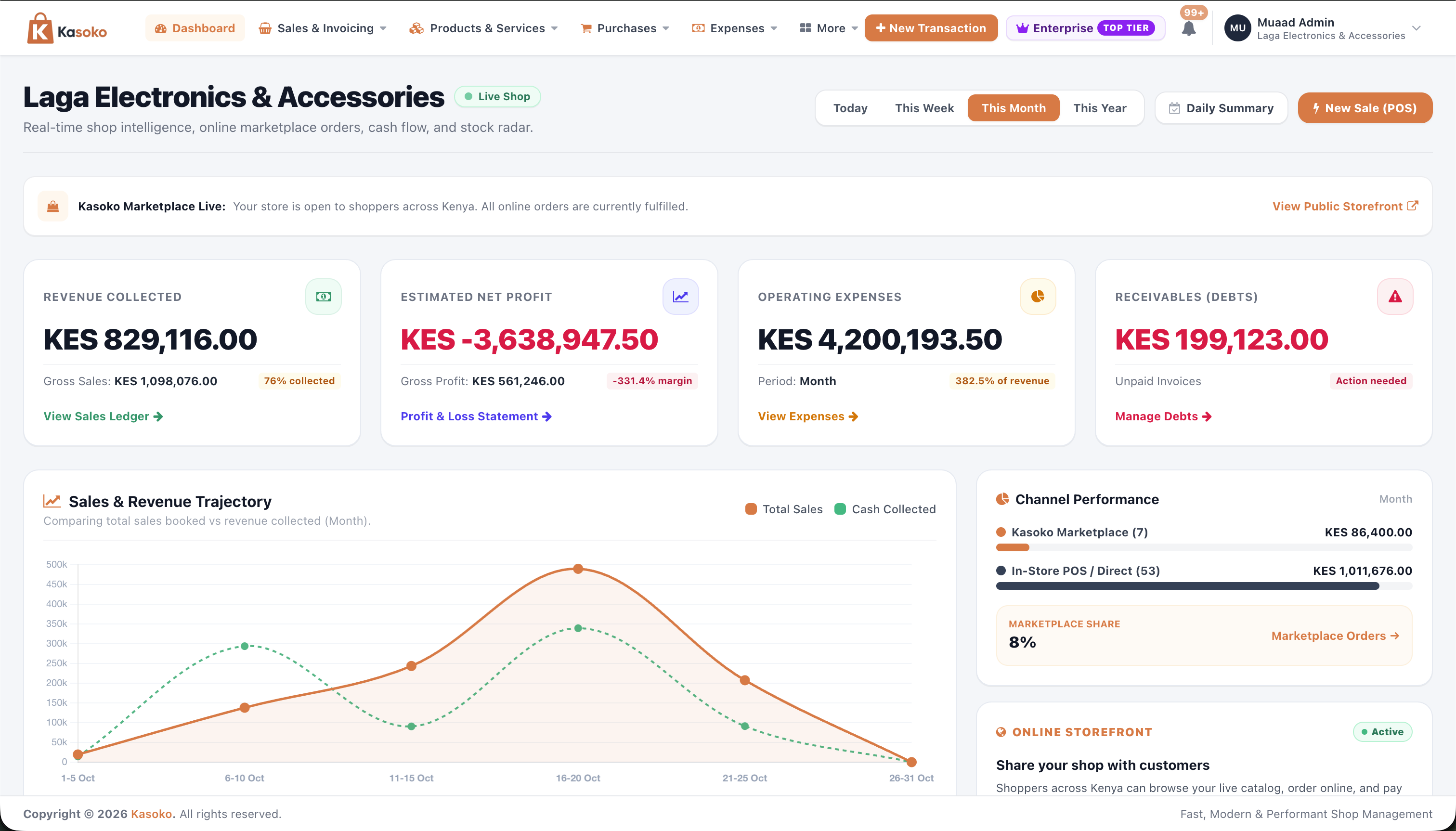
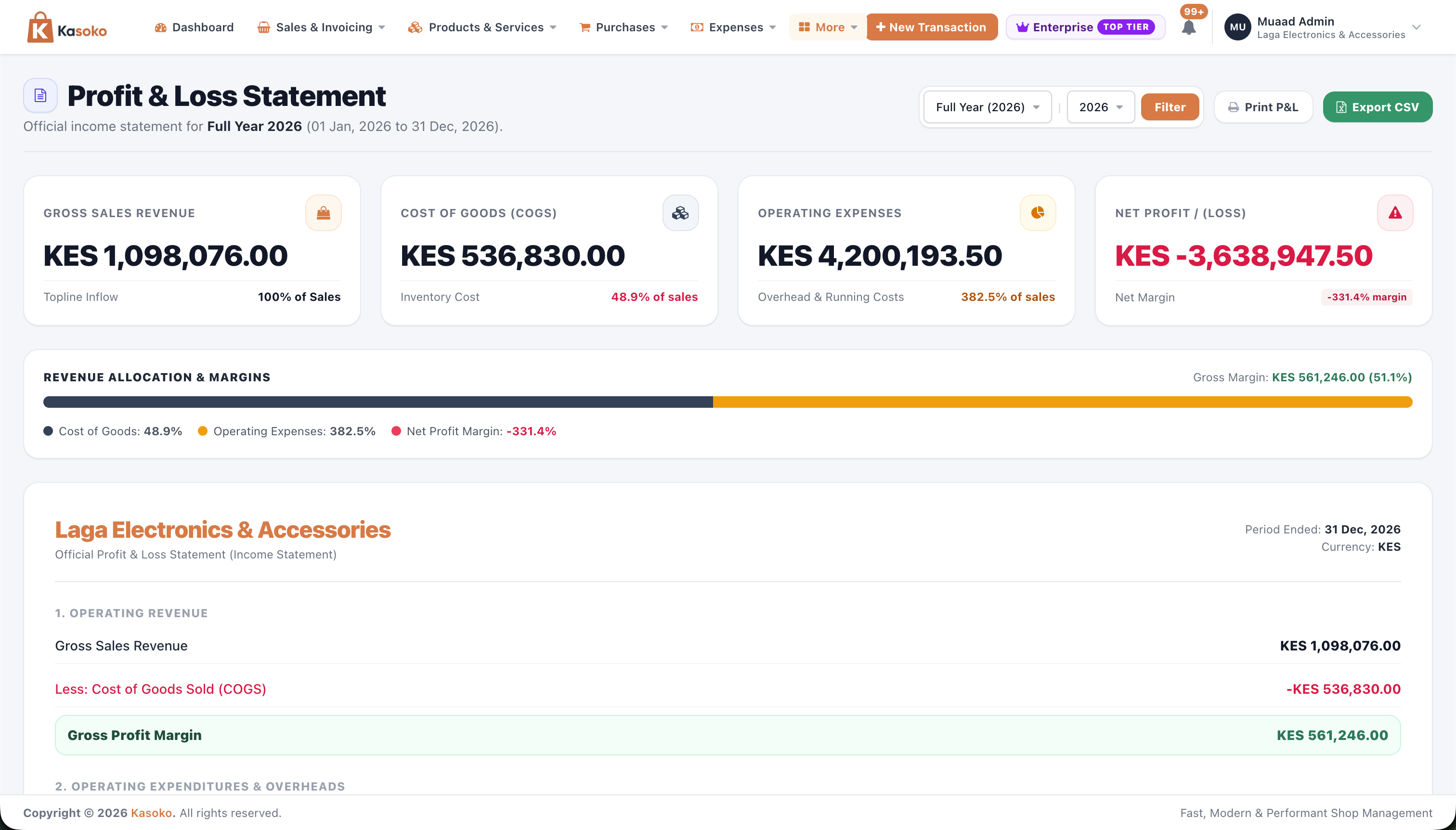
Daily Shop Overview: Cash Collected, Real Profit & Unpaid Credit
See how your shop is doing at a glance. Compare actual cash & M-Pesa collected against credit sales, see your true profit after buying costs and expenses, and track counter vs online sales.
- Separates Money Collected (KES 112,262) from Credit Sales so you know how much real cash came in.
- Shows your real Profit after subtracting both product buying cost and daily shop expenses.
- Compares Counter POS vs Online Marketplace sales and highlights your top-selling items.
Stay in Full Control of Your Money, Bills, Messages & Staff
Protect every shilling and save hours of manual work — track daily expenses across cash and bank accounts, bill monthly clients automatically on M-Pesa, send SMS payment links, lock staff permissions, and undo mistakes in 1 click.
/expenses • /bank_accounts
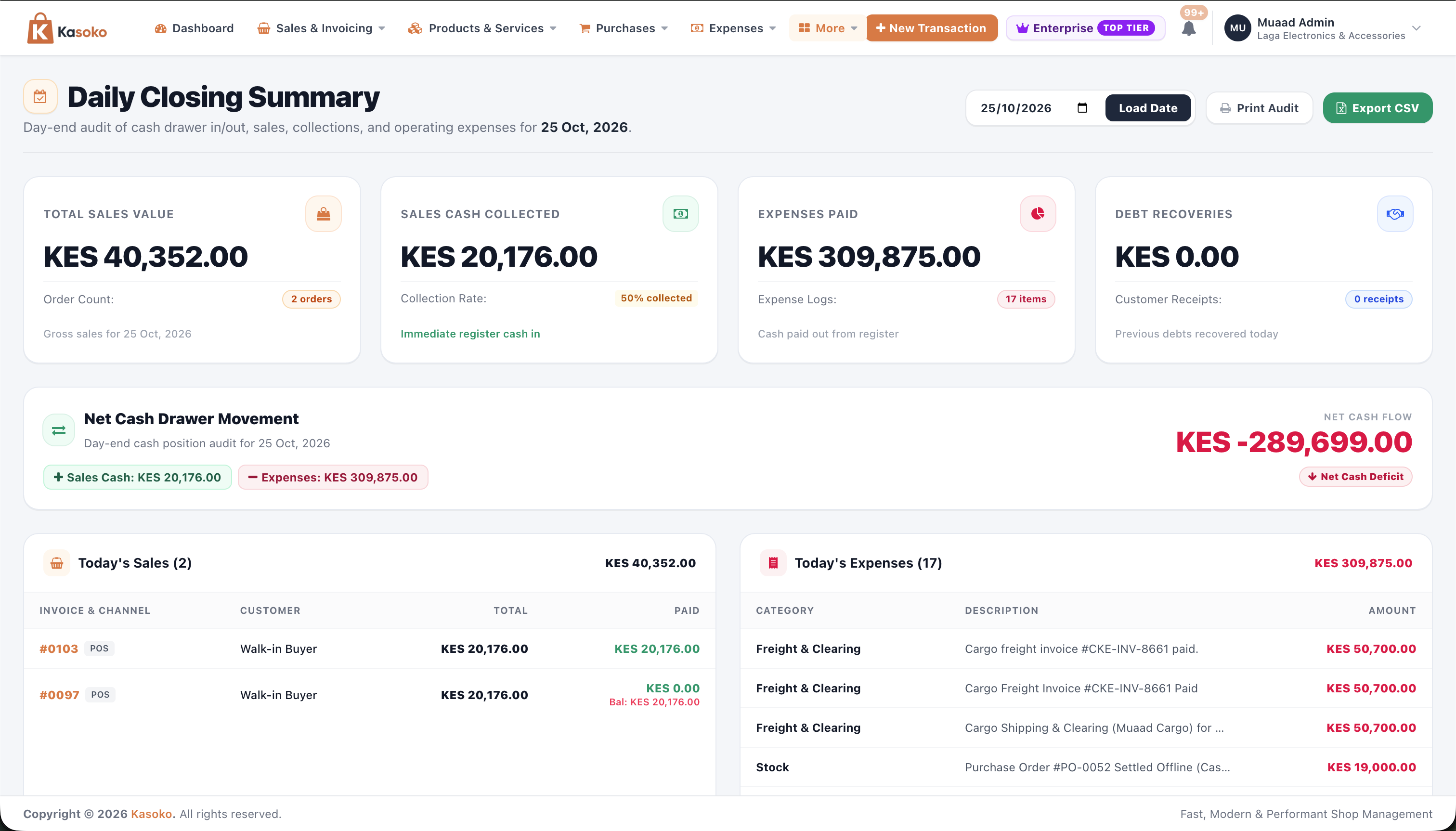
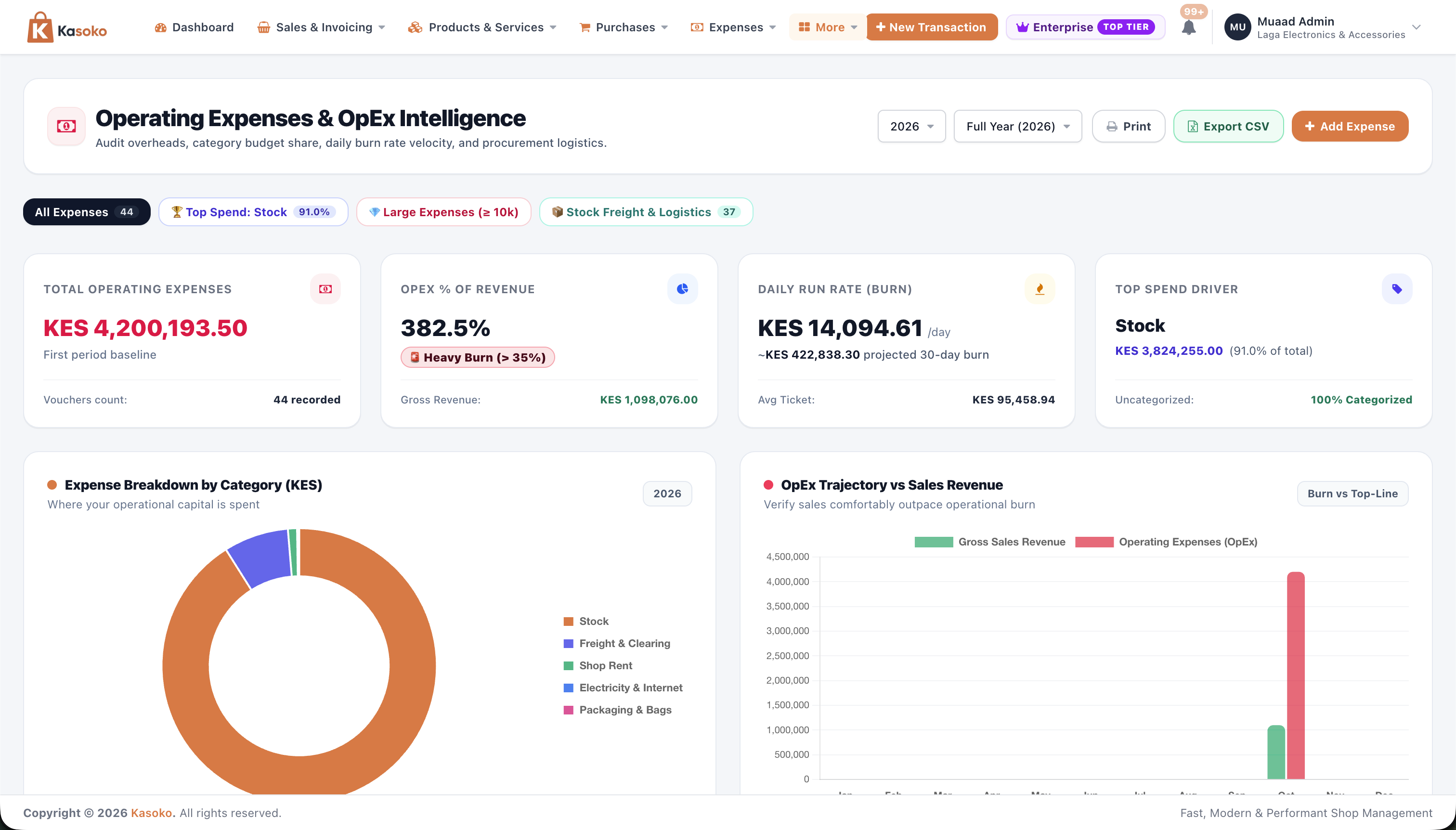
Daily Shop Expenses, Shipping Costs & Cash, M-Pesa & Bank Balances
Record every shilling spent in your shop by category and who you paid, and choose whether the money came from your Cash Drawer, M-Pesa Till, or Bank Account.
- Clear Expense Categories: Group spending under Rent, Electricity, Salaries, Packaging, or Boda Delivery so you see where money goes.
- Link Shipping Costs to Supplier Orders: Attach cargo shipping and clearing fees directly to a Purchase Order so they don't mix with normal shop rent.
-
Track Cash, M-Pesa & Bank (
/cash): Deduct expenses from the right account and record transfers when you move cash from the drawer to the bank.
See How Much Time & Money You Save Every Month
Estimates how much money you keep by stopping missing stock, forgotten credit sales, fake M-Pesa messages, and hours of manual paper counting.
Start Free Forever — Upgrade Only When Your Shop Grows
Free Starter
Great for a single shop getting started • No credit card needed
- Up to 50 products & 100 sales per month
- Put up to 10 products on your Online Store & Marketplace
- 1 Owner login & Counter POS register
- 100% Free Supplier Orders (POs), Supplier Quote Links & Import Cost Calculator
- 20 free SMS messages every month
Kasoko Biashara
Pay monthly • Save KES 10,000 on the 12-month plan
- Unlimited products & unlimited monthly sales
- Up to 100 Online Store products + Verified Merchant Badge
- Up to 5 staff & cashier accounts with custom permissions
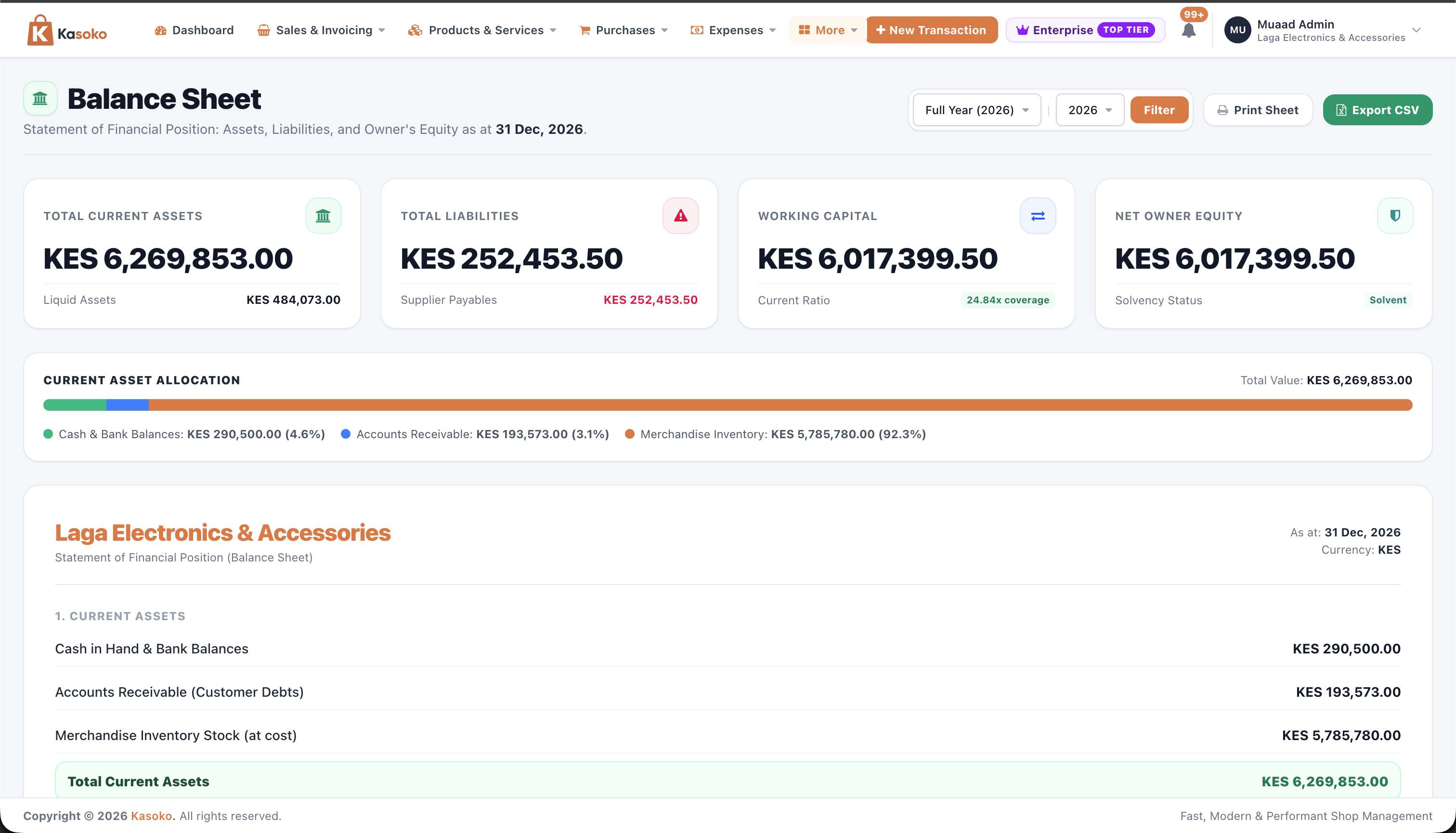
- All 7 Business Reports (Daily Cash, Profit & Loss, Balance Sheet)
- Repeat Invoices, Owner Debt Approvals & Excel/PDF Downloads
- 250 free SMS messages every month for receipts & reminders
Kasoko Enterprise
Pay monthly • Save KES 16,000 on the 12-month plan
- Compare Market Prices & Competitor Trends + Full Excel Exports
- Unlimited Online Store Products + Top #1 Placement on Marketplace
- Featured Pro Seller Badge & Verified Wholesale Supplier status
- Up to 15 Staff Accounts + Multiple Shops & Stores
- 1,000 free SMS messages every month & Dedicated Support
Frequently Asked Questions
Ready to Run Your Shop, Stock, M-Pesa & Supplier Orders Without the Stress?
Open your free Kasoko account in 60 seconds, create supplier Purchase Orders for free, or buy in-stock products from verified local shops near you.